Sound Quality Analyzer (Sound Quality Evaluation & Psychoacoustic Analysis)
Overview
This tool is used to quantify how sound is perceived by the human ear ("subjective quantity"). Instead of simply measuring voltage or sound pressure, it uses metrics based on psychoacoustics to objectively evaluate the pleasantness or unpleasantness of a sound.
While conventional measuring instruments measure physical quantities like voltage and frequency, they cannot fully explain the human sensation of a sound being "loud" or "unpleasant." Psychoacoustics models the human auditory mechanism and cognitive characteristics to evaluate these subjective sensations, such as the "Roughness" or "Sharpness" of a sound, as objective numerical values.
This tool is for offline analysis only. It analyzes pre-recorded audio files.
Metric Descriptions
- Integrated Loudness: An average value of "sound volume" that takes into account the sensitivity characteristics of the human ear (BS.1770 K-weighting). The unit is
LUFS. - Sharpness: Represents the "sharpness" or "metallic" quality of a sound. Higher values indicate more high-frequency components (typically above 15.8 Bark). The unit is
acum. - Roughness: Represents the "graininess" or "roughness" of a sound. It evaluates unpleasant modulations (around 70 Hz, for example) that cause a sensation of "roughness." The unit is
asper. - Tonality: Represents the extent to which the sound contains "sine-wave-like components" (Spectral Flatness). Sounds like white noise have low tonality, while sounds like a whistle or a pure sine wave approach 1.0. The unit is
0-1(normalized value). - Fluctuation Strength: Similar to roughness, it represents the "modulation" or "fluctuation" of a sound, but for slower changes (typically below 20 Hz, peaking around 4 Hz). The unit is
vacil. - Articulation Index (AI): A metric representing "speech intelligibility" in the presence of noise. It ranges from 0.0 to 1.0, where 1.0 means perfect intelligibility.
Operation
- Click Load File to select an audio file.
- Supported formats: WAV, FLAC, AIFF
- There is a file size limit of 500 million total samples (approx. 1 hour 26 mins for 48kHz Stereo).
- Press the Analyze button to start the analysis.
- Internally, the audio is resampled to 48kHz for analysis (to optimize psychoacoustic filters).
- Progress and the current processing stage are shown. Use Cancel to interrupt analysis; cancellation may wait for the current calculation stage to finish.
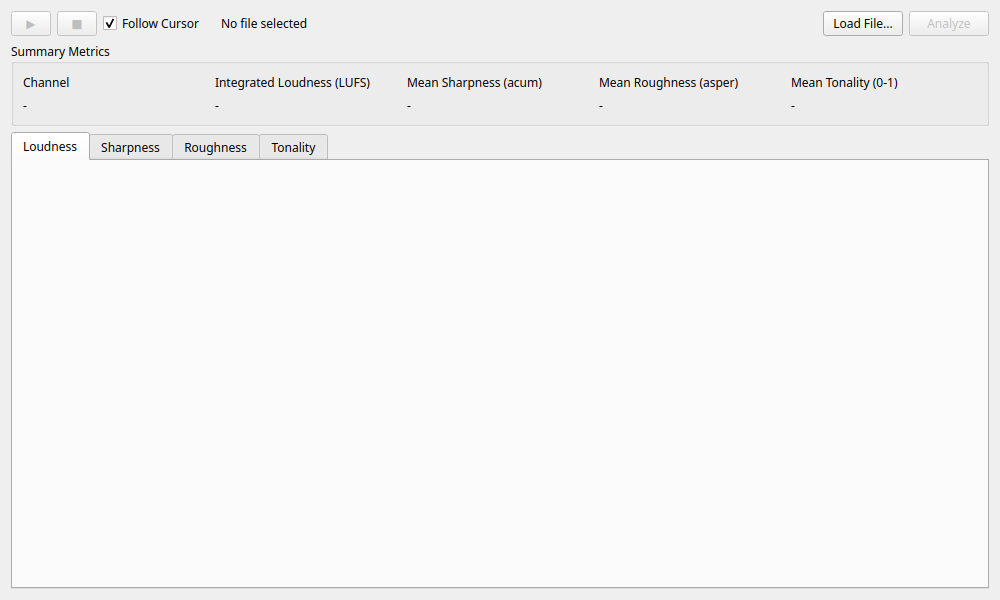
- The Summary Metrics panel shows all six metrics: integrated loudness and mean values for the other five. Blue identifies the left channel (or the single mono channel), and amber identifies the right channel. Unavailable results appear as “—”.
- Select a metric card to show its time history in the large graph. Channels use distinct colors and solid/dashed lines. Switching metrics preserves the visible time range.
- Export CSV saves the plotted time-series data for all channels and all six metrics in one CSV. The export covers the full duration regardless of the selected metric or zoom range.
The first row contains column headers with units. Each channel and metric has its own pair of time (seconds) and value columns, for example Mono_lufs_Time (s) and Mono_lufs_Loudness (LUFS). Headers follow the display language. Sampling intervals differ between metrics, so select the matching time and value columns when creating an Excel scatter chart. Shorter columns are padded with empty cells.
Samples are exported without interpolation or rounding to the displayed precision. Loudness contains the plotted 400 ms momentary history; the summary panel's integrated loudness and the other metrics' means are not included. Nonfinite values are written as nan, inf, or -inf. Files use comma separators and UTF-8 with a BOM for Excel compatibility.
The description above the graph identifies the calculation method. Sharpness, roughness, and fluctuation strength use simplified estimates; tonality uses inverse spectral flatness. AI assumes a noise floor of −60 dBFS and does not establish actual speech intelligibility in measured noise.
Playback and Verification
- Play / Pause (▶ / ⏸): Play or pause the analyzed audio. Stop (■) returns to the beginning. Reaching the end retains the final position; playing again restarts from the beginning.
- Time display and slider: Show the current position and total duration. Seek using the slider or by clicking the graph.
- Follow Cursor: Pan the graph when playback moves outside the visible range. The cursor updates whether this option is enabled or not.
- Graph interaction: Drag to pan and scroll to zoom. Fit to data restores the full file duration and automatic vertical scaling.
- New files and reanalysis: Clear the previous results and playback data. Cancelling the file dialog preserves existing results. Analysis failures display a reason and allow a retry.
Use Cases
- Analysis of Unpleasant Noise: Quantifies "why" fan or motor noise is annoying using metrics like roughness and sharpness.
- Sound Design Evaluation: Verifies if product operation sounds or notification sounds match the intended image (e.g., gentle, sharp, powerful).
- Detection of Abnormal Sounds: Detects sudden changes in tonality (e.g., occurrence of a beep) within stationary noise.