Loopback Finder
Overview
A tool for automatically identifying which "output channels" are connected (looping back) to which "input channels" within an audio interface.
Here, "loopback" means any path where sound sent to an output comes back into an input. That return path may be a physical cable, an internal audio-interface route, or an OS-level monitoring path.
With multi-channel interfaces, it is easy to end up in situations like "I thought Output 3 would come back to Input 5, but it actually reached Input 1" or "an unintended monitor path was mixed in." This tool lets you quickly inventory those paths for the input and output devices currently selected in MeasureLab.
When a measurement goes wrong, before blaming the FFT settings, filters, or math, it is important to first isolate routing issues and confirm the signal is taking the expected path.
Operation
- Make sure the input and output devices you want to test are selected in the main MeasureLab window.
- Press Start Scan.
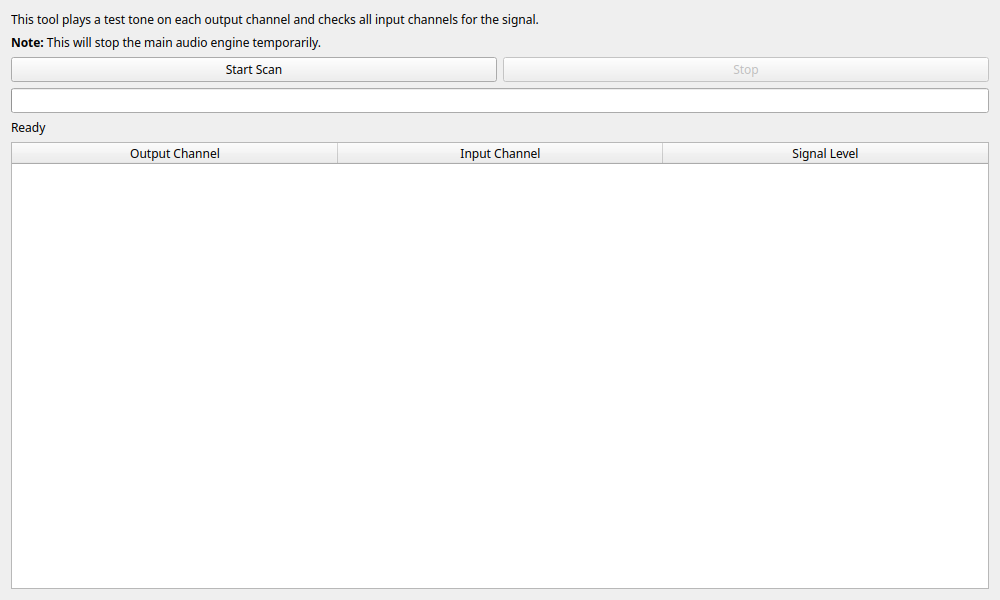
- The software emits a 440 Hz test tone from each output channel in sequence and checks all input channels.
-
If you want to cancel partway through, press Stop.
-
The normal measurement engine pauses during the scan.
- If the output is connected to speakers, headphones, or downstream equipment, you will hear short test tones. Lower the volume first, or protect the connected equipment as needed.
- This tool is for finding where signals return. It is not a precision instrument for frequency-response or exact level calibration.
Reading the Results
The detected paths are shown in the Results Table.
- Output Channel: The output channel that emitted the test tone.
- Input Channel: The input channel where that tone was detected.
- Signal Level: The signal level detected on that path, displayed in dBFS. A checkmark (✓) indicates a confidently detected loopback path. An exclamation mark (!) indicates that the measurement is invalid due to clipping. A dash (—) is shown when no significant signal is detected. Larger values mean the path was detected more clearly.
Signal Level is a useful clue, but it should not be treated as an exact gain measurement. A good workflow is to use Loopback Finder to confirm the path first, then move to a dedicated measurement widget for detailed analysis.
Usage Examples
- Verifying Wiring: Check whether your assumption that "sound from Output 3 should reach Input 5" is actually correct, without repeatedly unplugging and reconnecting cables.
- Detecting Internal Leaks: Find signal leakage between channels that should not be connected (crosstalk or unintended internal loop paths).
- Pre-flight Check Before Measurement: Use it before distortion or transfer-function measurements to make sure the signal path matches your plan.